
Northstar Creative Labs Client Operations & RevOps System
Demo of an end-to-end client operations system connecting sales, onboarding, delivery, risk monitoring, reporting, and operational documentation.
to operational clarity.
HubSpot · Zapier · Airtable · ClickUp · Make · Slack · Google Sheets · Notion
THE CHALLENGE
The deal was closed.
The work still had to begin.
The deal was closed. The work still had to begin.
Northstar needed a cleaner way to move clients from sales into delivery without relying on manual handoffs, duplicated records, disconnected project information, or managers discovering onboarding problems too late.
Commercial information already existed in HubSpot. Operations still had to recreate client information, initiate onboarding, coordinate delivery, monitor risk, and assemble reporting across several systems.
SYSTEM ARCHITECTURE
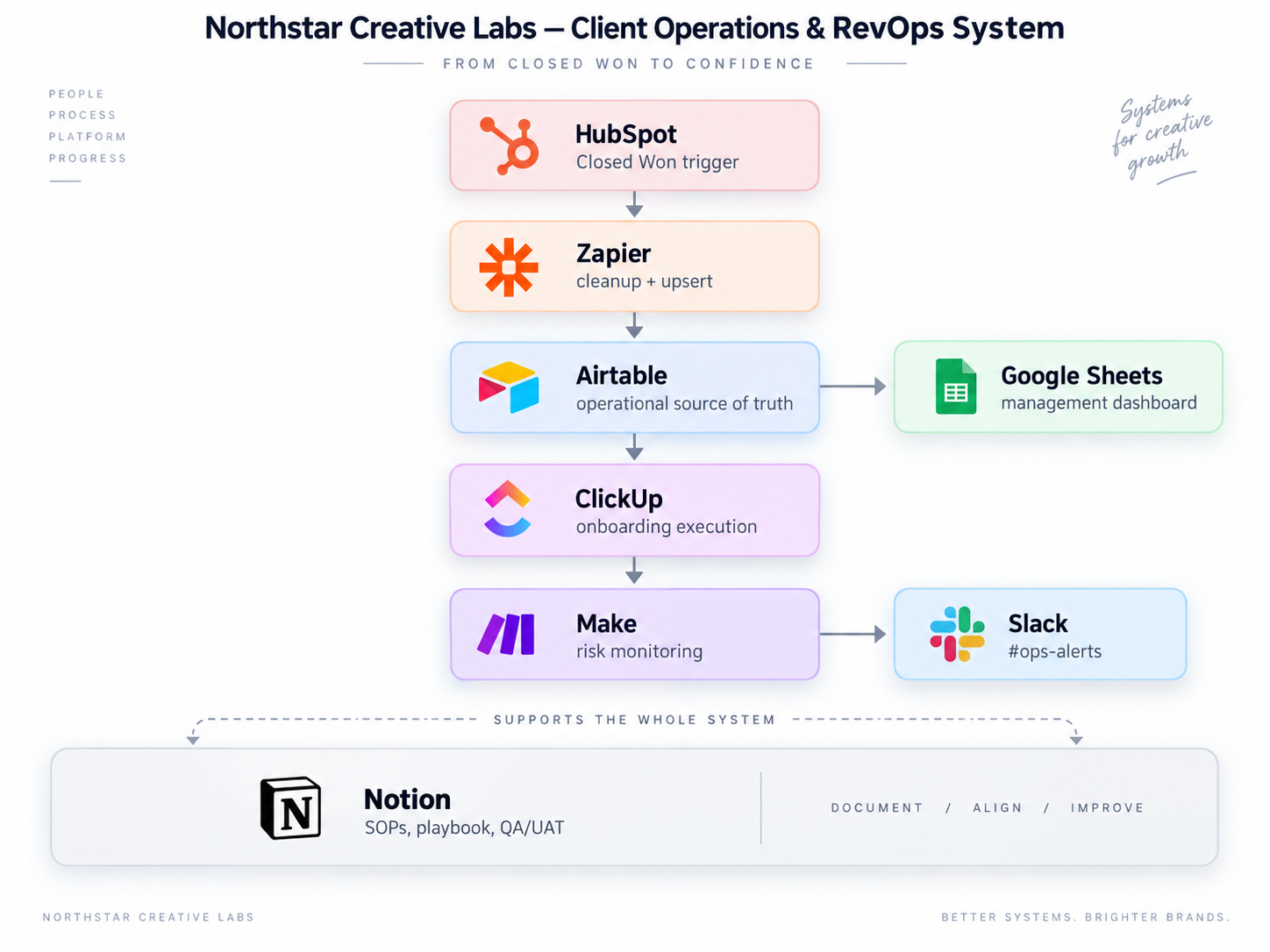
One system. Clear roles.
One system. Clear roles.
Each platform has one defined responsibility. Stable IDs connect the systems and automation moves information without duplicating ownership.
01 — CRM & REVENUE HANDOFF
Closed Won becomes an operational event.
Closed Won becomes an operational event.
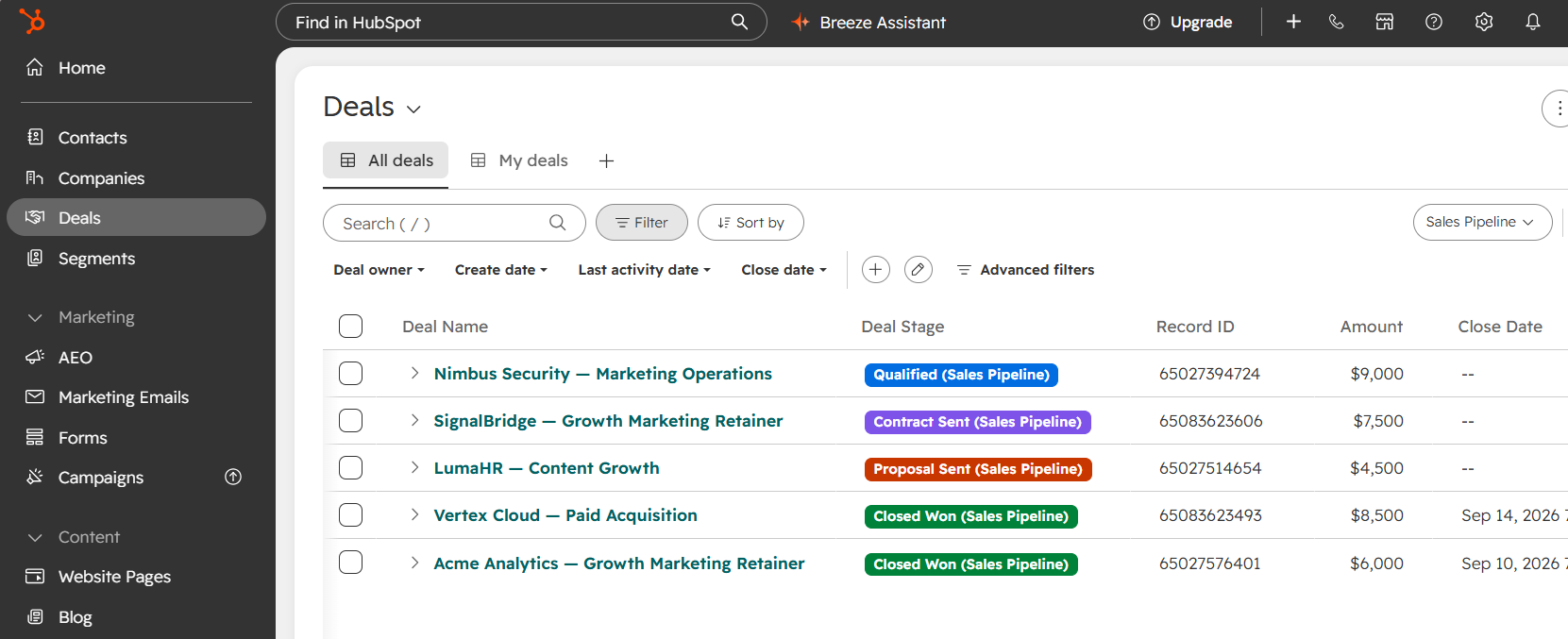
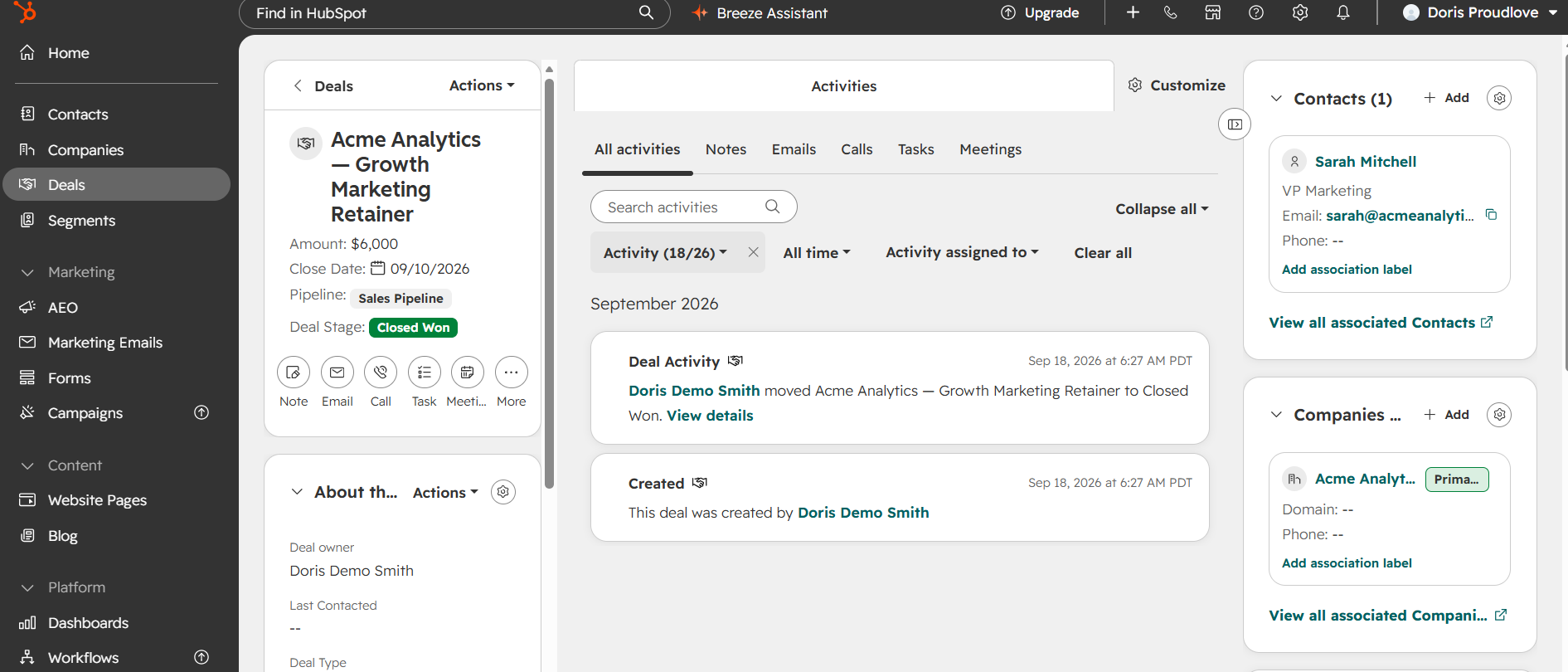
HubSpot becomes the commercial starting point.
The CRM holds the deal, contract value, package, close date and operational handoff information.
Once a deal reaches Closed Won, the client no longer depends on someone remembering to begin setup manually.
02 — OPERATIONAL DATABASE
One client record connects the systems.
One client record connects the systems.
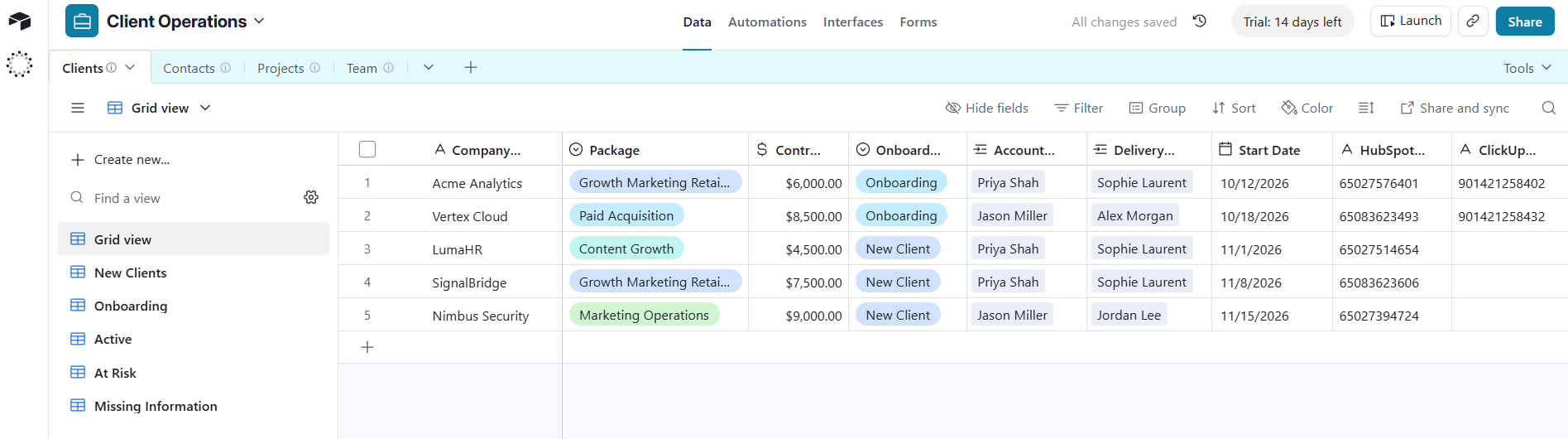
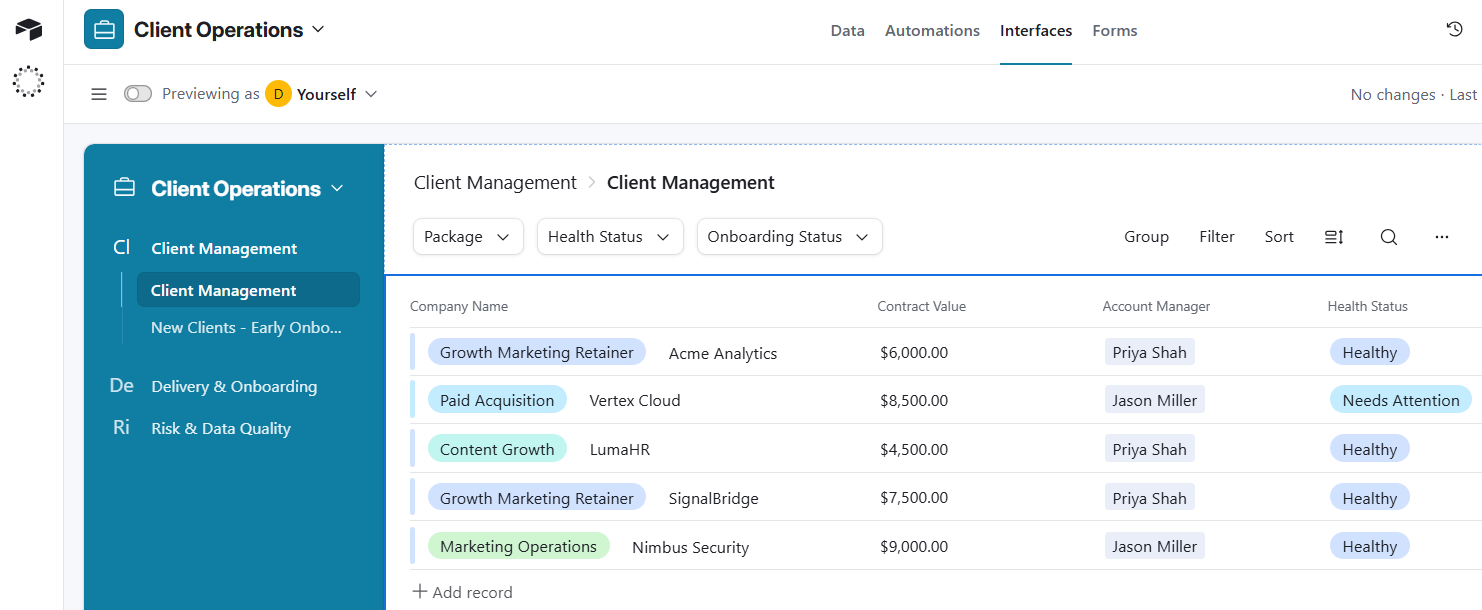
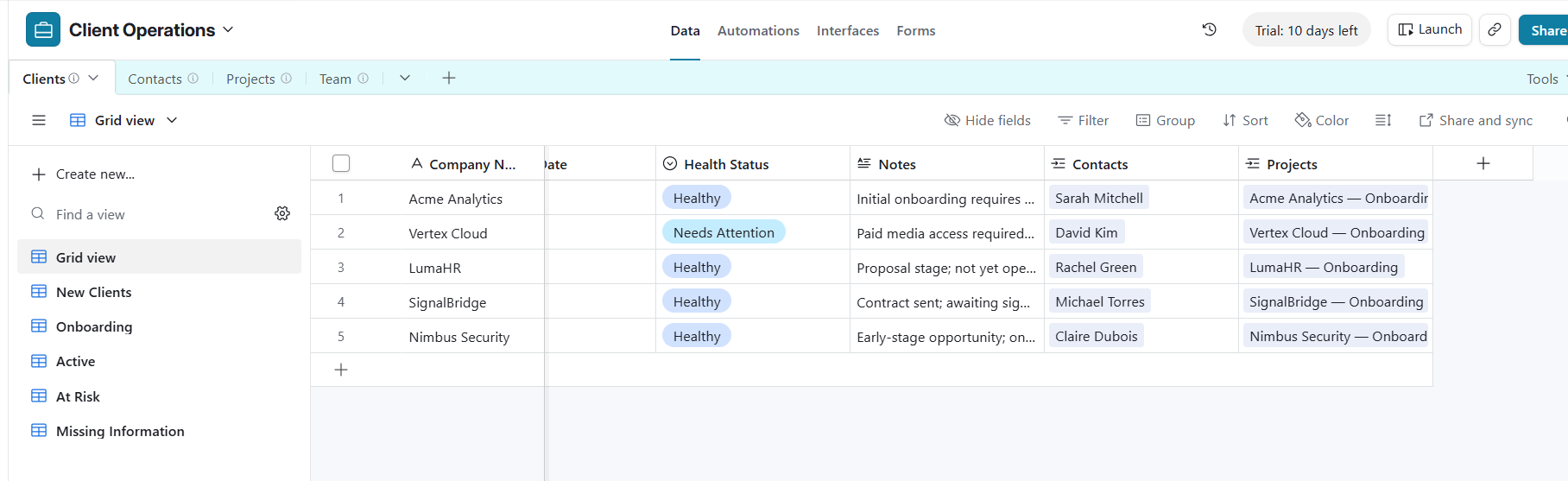
Airtable becomes the operational source of truth.
The client record connects commercial value, onboarding status, ownership, health, and cross-system IDs.
Stable IDs allow automation to find the correct record without relying on names or duplicate manual entry.
03 — DELIVERY WORKFLOW
Standardize before automating.
Standardize before automating.
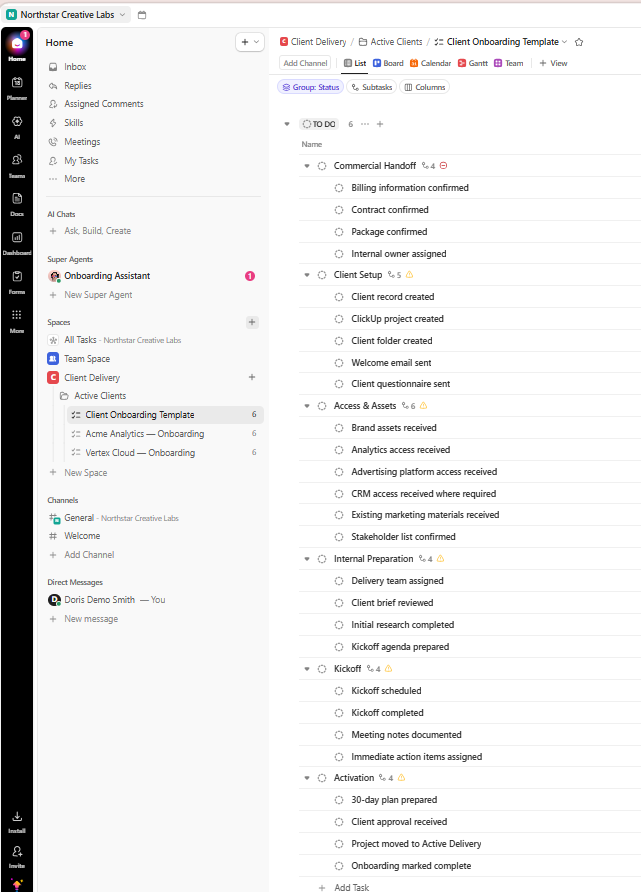
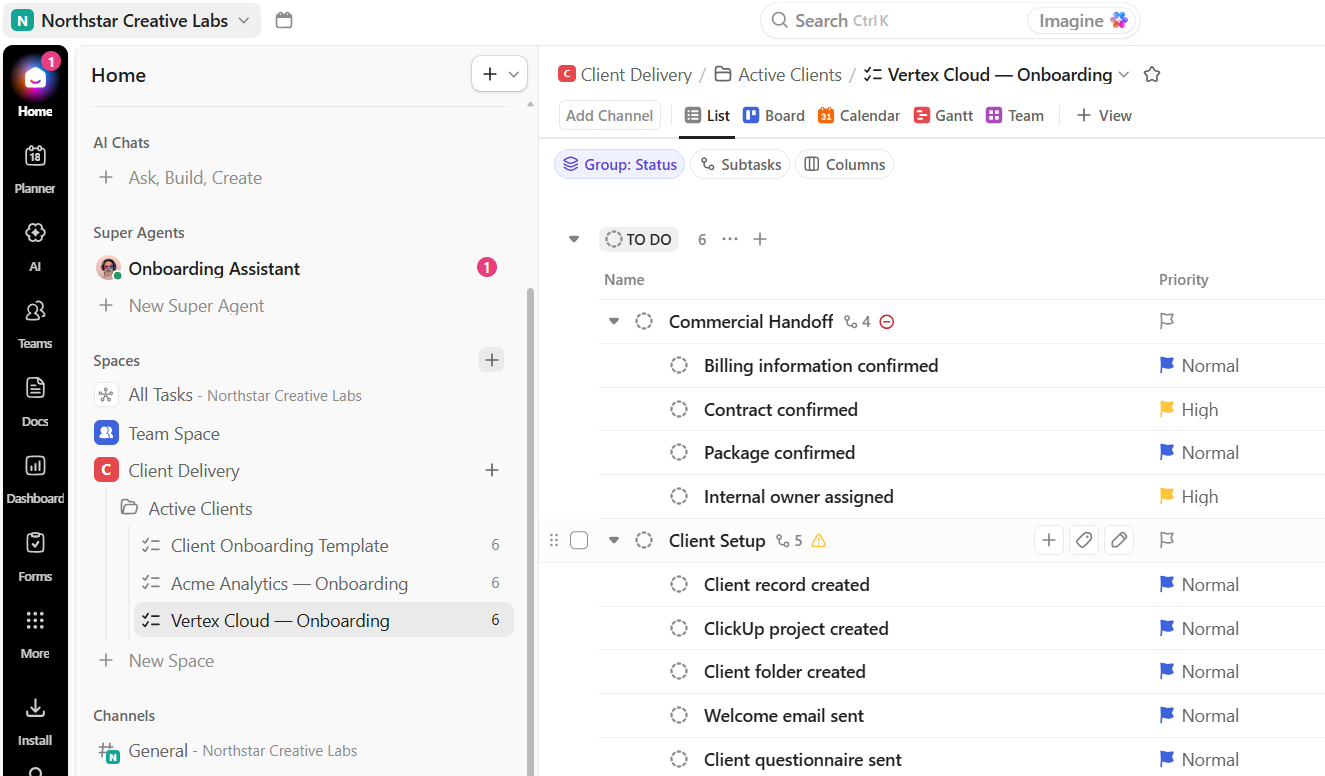
ClickUp manages onboarding execution.
A reusable six-phase onboarding structure creates consistency across every activated client.
Priorities and dependencies distinguish routine work from milestones capable of blocking client readiness.
04 — SALES-TO-OPERATIONS AUTOMATION
The handoff happens without recreating the client.
The handoff happens without recreating the client.
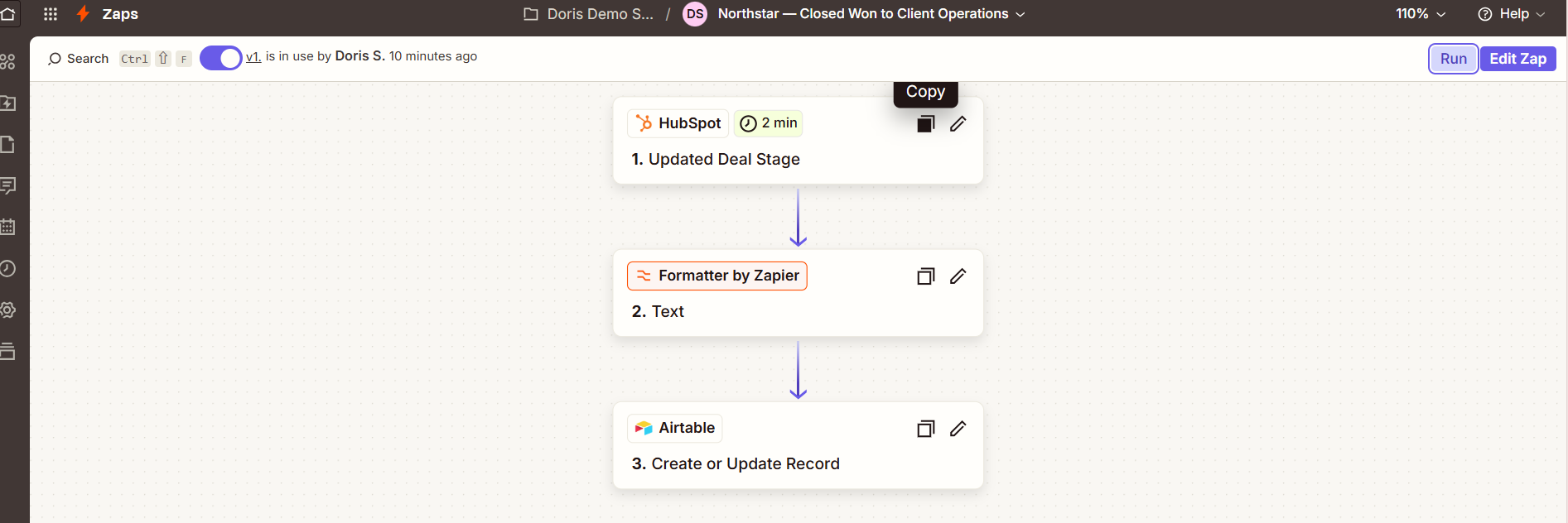
Zapier cleans, matches and upserts.
Closed Won initiates the handoff. Company-name cleanup prepares the record for Operations, while HubSpot Deal ID provides a stable matching key.
Reprocessing the same deal updates the existing client rather than creating a duplicate.
05 — RISK MONITORING
Normal work stays quiet. Exceptions surface.
Normal work stays quiet. Exceptions surface.
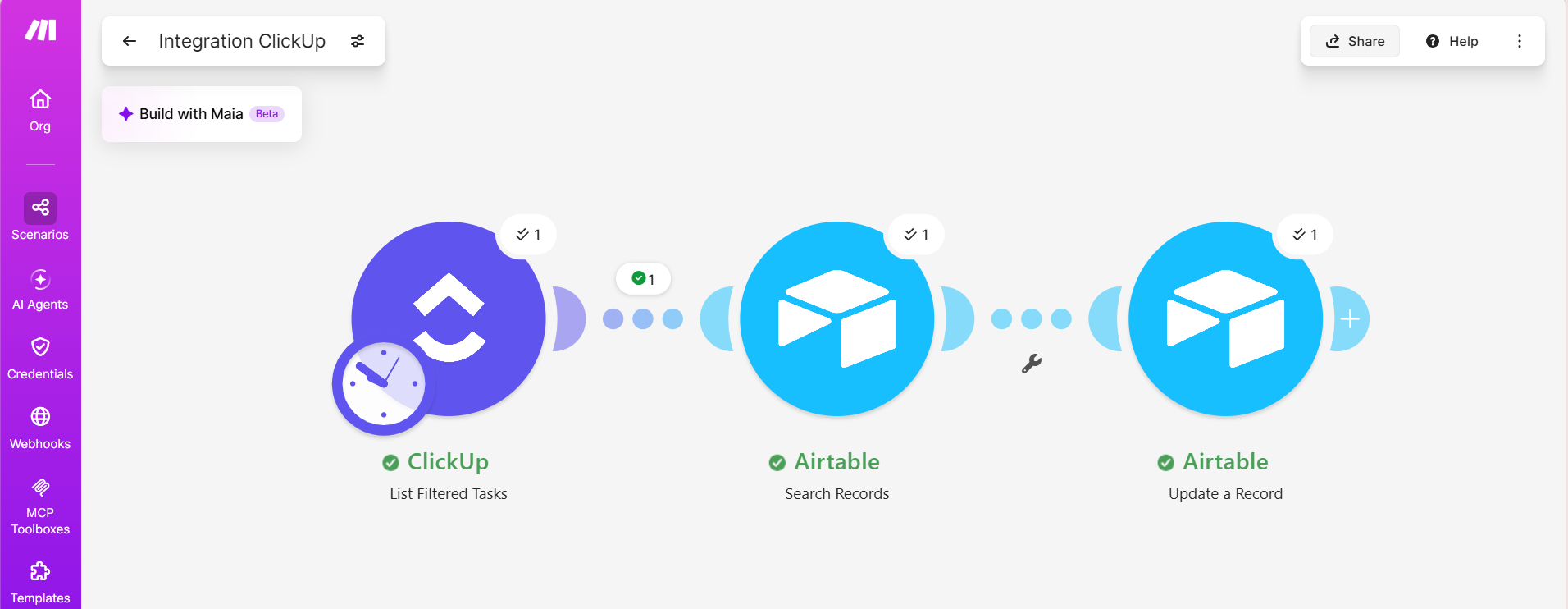
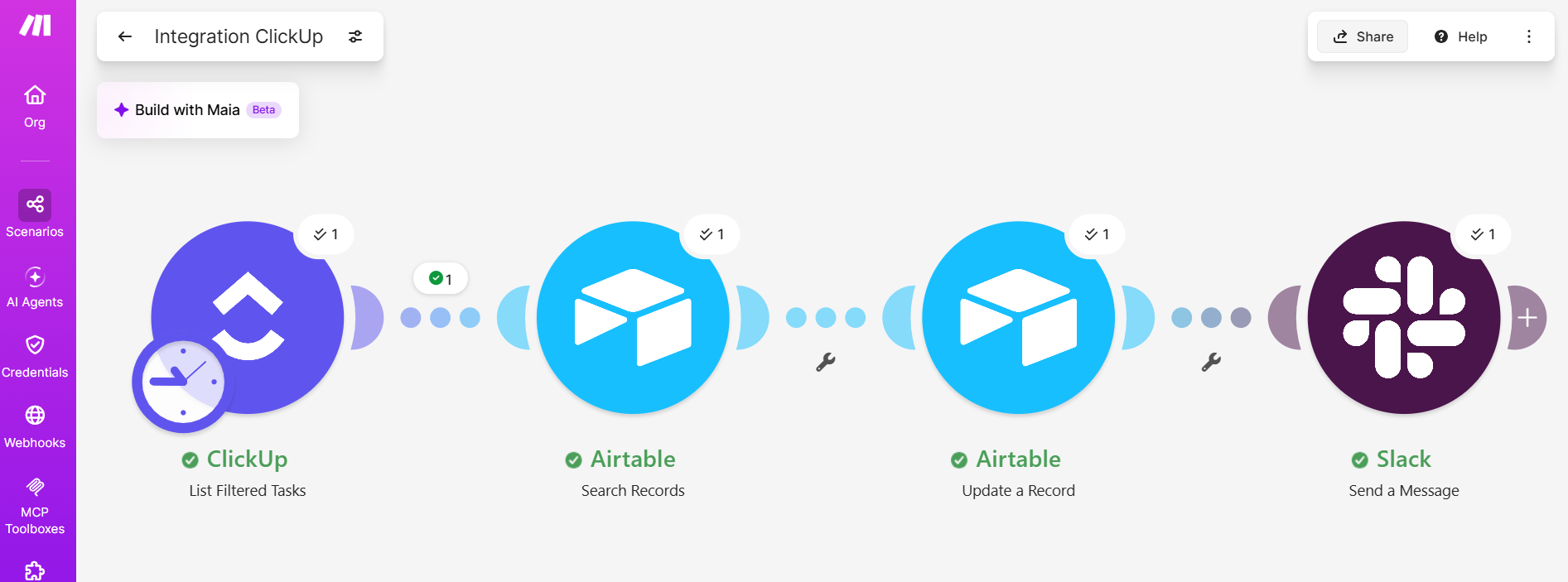
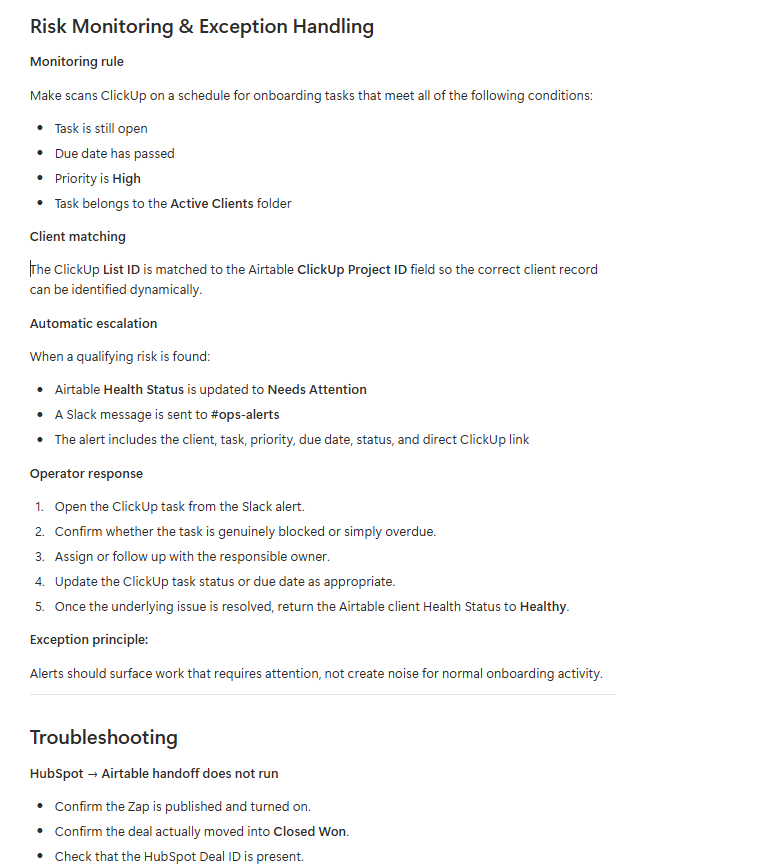
Make monitors the operational edge cases.
A scheduled scenario scans ClickUp for open, overdue, high-priority onboarding work.
The ClickUp List ID is matched dynamically against the Airtable client record, avoiding hard-coded client logic.
06 — EXCEPTION ALERTS
Slack reports what requires intervention.
Slack reports what requires intervention.
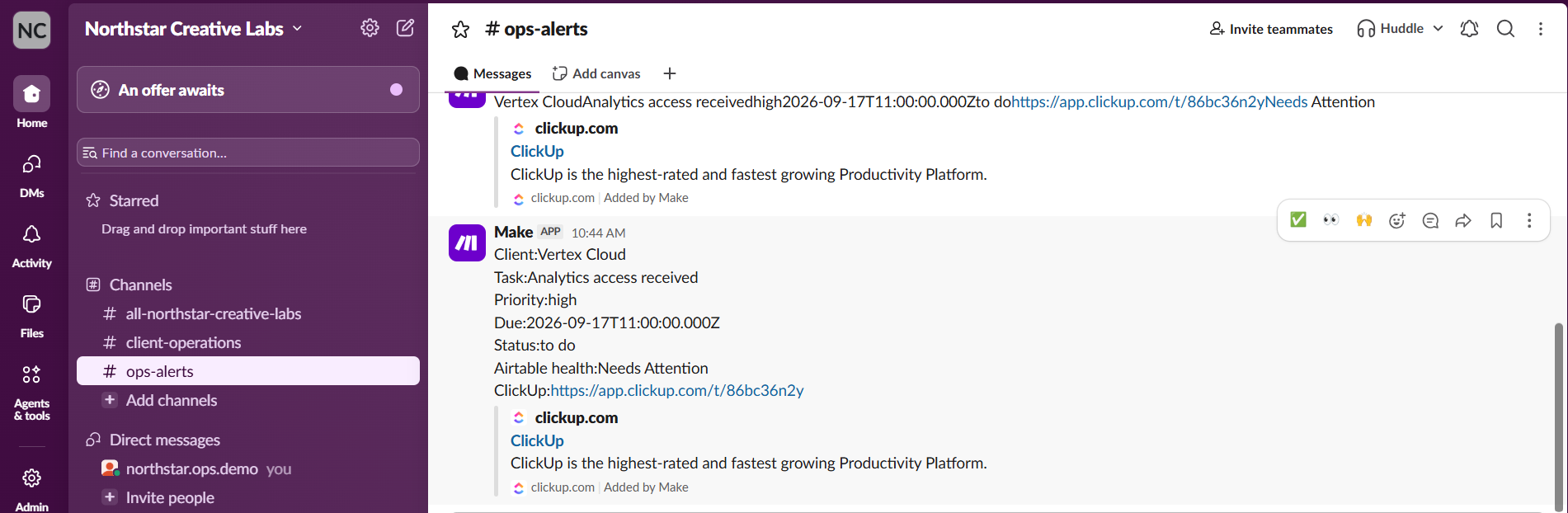
Alerts are reserved for meaningful exceptions.
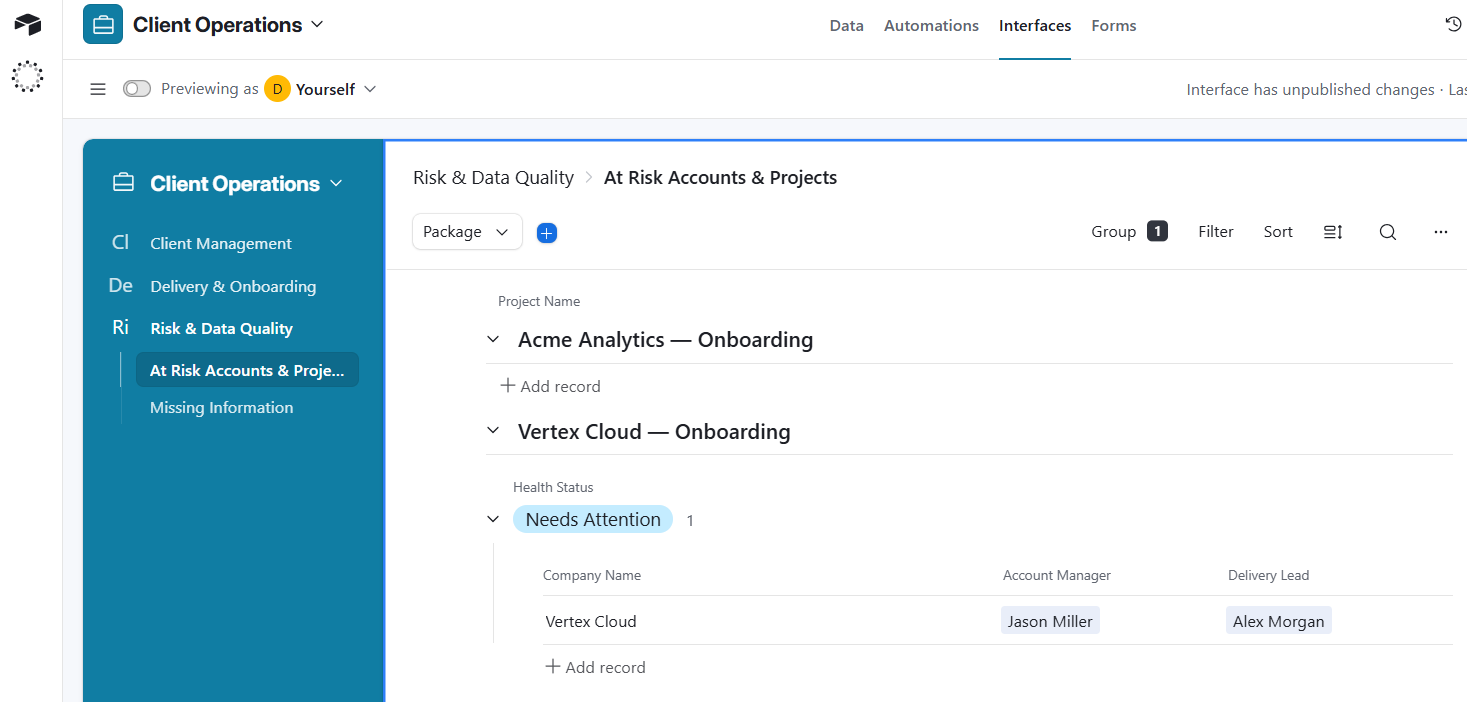
Once a qualifying onboarding risk is detected, Airtable is updated to Needs Attention and Slack receives a concise operational alert.
Client, task, priority, due date, status and ClickUp link are all included for immediate follow-up.
07 — MANAGEMENT REPORTING
Operational data becomes a management view.
Operational data becomes a management view.
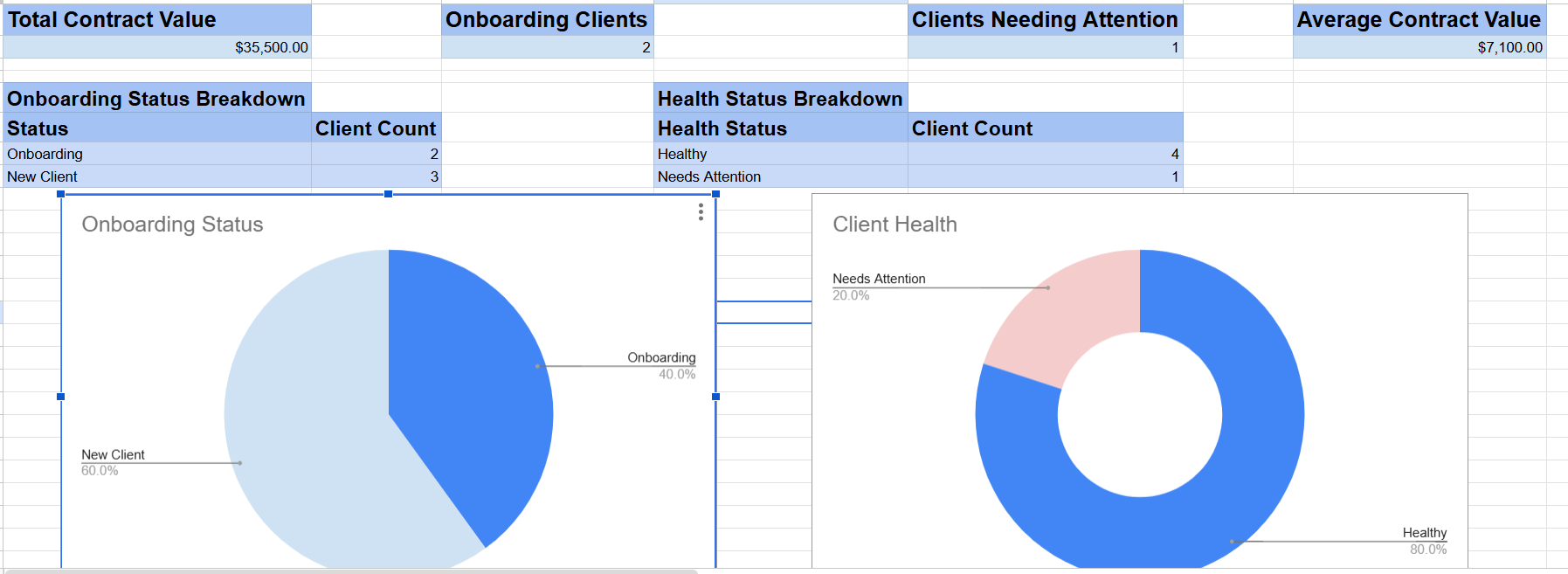
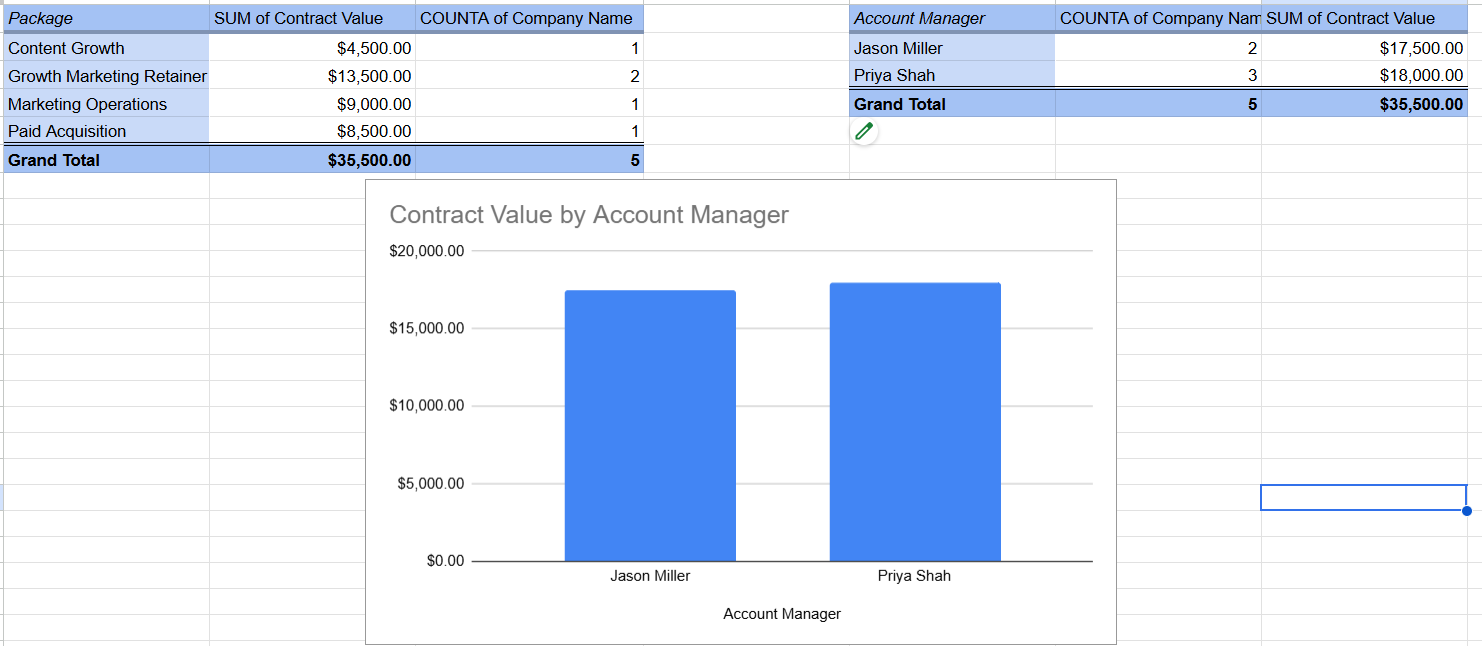
Google Sheets becomes the reporting layer.
KPIs summarize contract value, onboarding volume, client health and average client value.
Pivot analysis adds package and account-manager reporting without turning Sheets into another operational database.
08 — OPERATIONAL DOCUMENTATION
The system should not live in someone’s memory.
The system should not live in someone’s memory.
Notion holds the operating playbook.
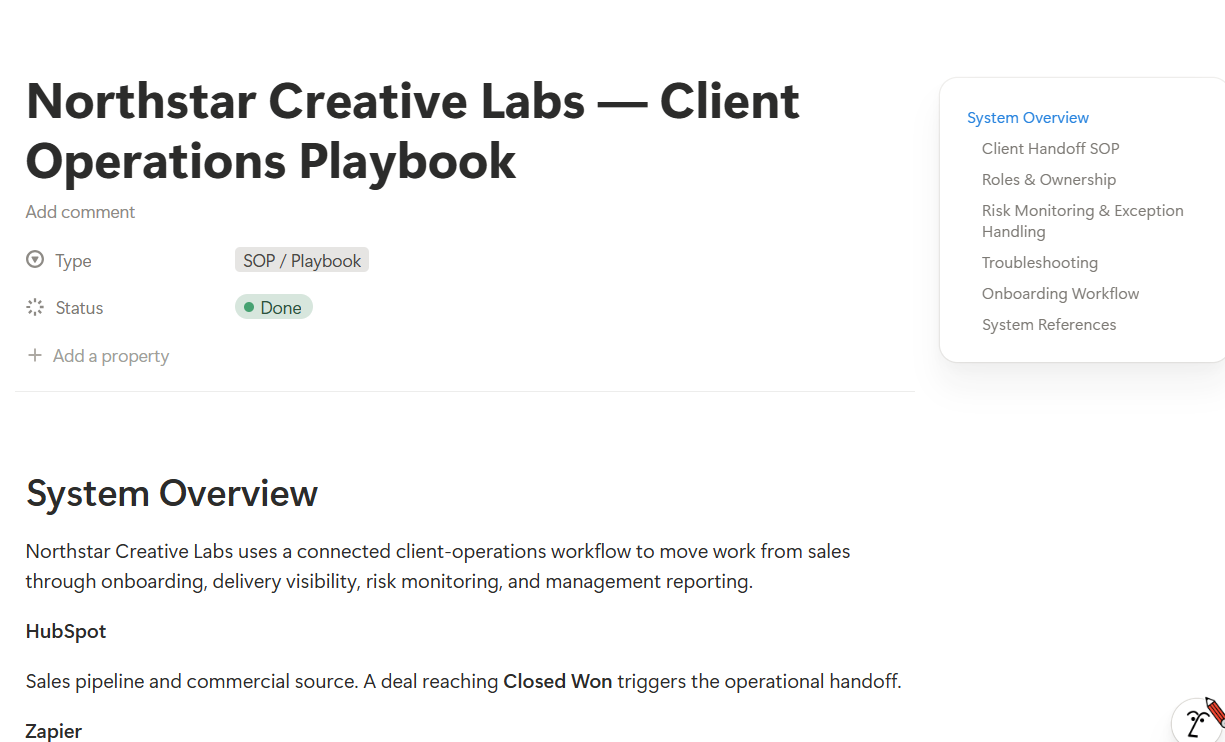
Architecture, responsibilities, onboarding SOPs, exception handling, risk rules and troubleshooting are documented in one place.
A new operator should be able to understand the system without depending on verbal handover.
09 — QA / UAT
The happy path is not enough.
The happy path is not enough.
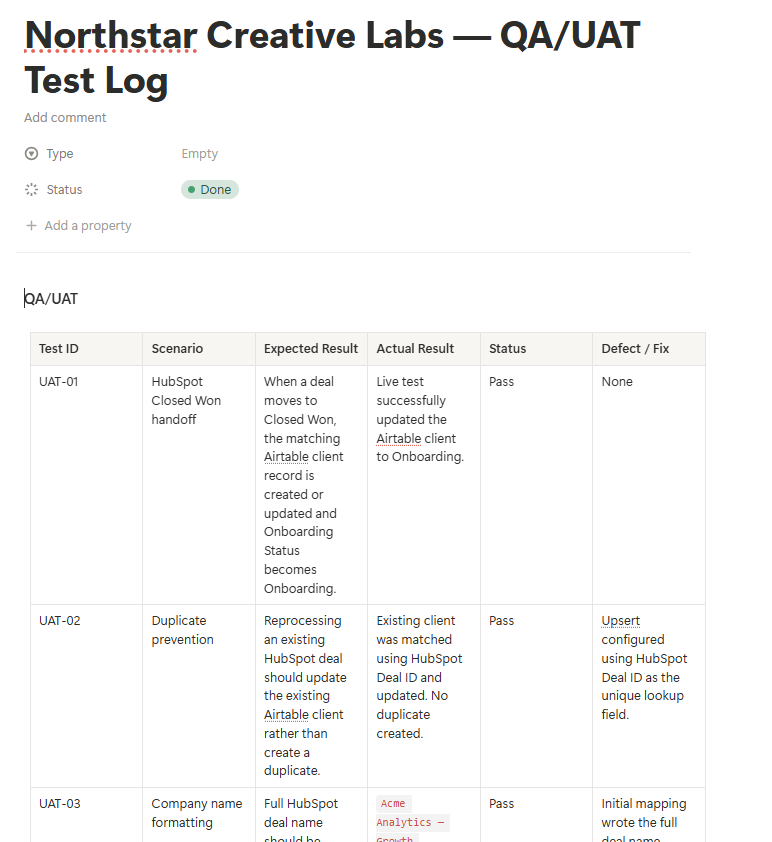
The workflow was tested, not just assembled.
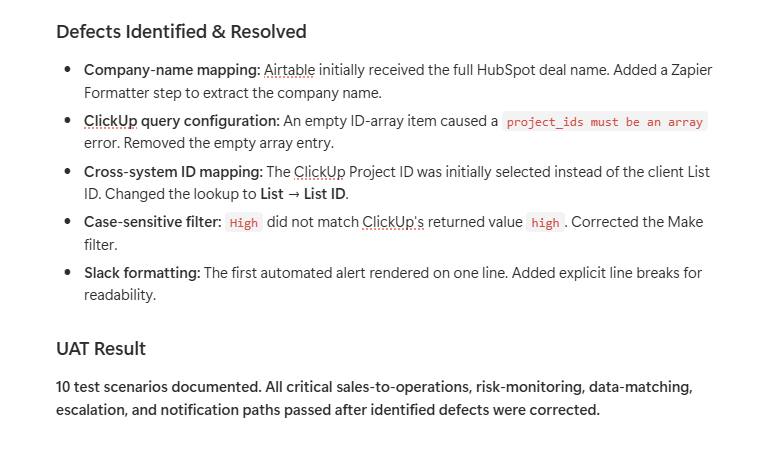
Formal UAT covered Closed Won handoffs, duplicate prevention, transformation logic, cross-system matching, risk detection, false-positive controls and Slack escalation.
SEE THE FULL BUILD
More of the working system.
More of the working system.
OPERATIONAL IMPACT
Less machinery. More visibility.
Less machinery. More visibility.
ROLE & TOOLS
What this case study demonstrates.
What this case study demonstrates.
Client Operations / RevOps Systems Designer
Process design, CRM configuration, operational data architecture, workflow automation, delivery-system design, exception monitoring, management reporting, SOP documentation, and QA/UAT.
If the workarounds are becoming the work, there is usually a better system underneath.
This is the kind of system I design for coaches, consultants, and service businesses that have outgrown manual onboarding, disconnected tools, and constant follow-up.